
Designing a kitchen layout used to mean hiring an expensive designer or guessing with graph paper. Not anymore. Free kitchen design software has leveled the playing field, homeowners can now mock up layouts, test cabinet placements, and visualize finishes without spending a dime upfront. Whether you’re planning a full remodel or just rearranging appliances, starting with a digital layout saves time, money, and costly mistakes. This guide walks through the best free tools available in 2026 and the step-by-step process to design a functional, code-compliant kitchen from scratch.
Key Takeaways
- Free kitchen design software empowers homeowners to test layouts, appliance placements, and finishes without upfront costs, catching planning mistakes like undersized walkways before construction begins.
- Measure your space accurately with a tape measure first, recording wall dimensions, door swings, plumbing locations, and electrical outlets—a critical foundation for any kitchen layout design tool.
- Choose from six common kitchen layout styles (single-wall, galley, L-shaped, U-shaped, island, peninsula) based on room proportions and household needs; most free tools let you swap layouts digitally.
- Maintain code-compliant clearances such as 42–48″ aisles, 42″ between countertops and cooktops, and proper landing space beside appliances to ensure safety and functionality.
- Top free tools like SketchUp Free, IKEA Kitchen Planner, RoomSketcher, and HomeByMe offer different strengths—try multiple to find the interface that works best for your project.
- Finalize your kitchen layout design digitally before ordering materials, as custom cabinets take 8–12 weeks and changing plans mid-construction is expensive and disruptive.
Why Start with a Free Kitchen Layout Design?
Free design tools let homeowners experiment without commitment. They provide a sandbox to test layouts, appliance sizes, and traffic flow before cutting into walls or ordering cabinets. Most mistakes in kitchen remodels happen during planning, undersized walkways, poorly placed refrigerators, or missing electrical outlets. Digital tools catch these issues early.
These platforms also help communicate with contractors. A detailed 3D rendering or dimensioned floor plan makes bids more accurate and reduces miscommunication. Many free tools export PDFs or share links, so everyone, from the electrician to the tile installer, works from the same blueprint.
Another advantage: cost transparency. Once the layout is locked in, users can price out materials, compare cabinet lines, and spot budget overruns before they happen. Free tools don’t replace a professional designer for complex structural work, but they handle the vast majority of residential kitchen layouts without issue.
Finally, it’s a practical way to learn building standards. Most software snaps cabinets to standard widths (12″, 18″, 24″, 30″, 36″), defaults to code-compliant clearances (42″ aisles, 15″ clearance beside cooktops), and flags layout issues like doors swinging into each other. It’s free education wrapped in a planning tool.
Best Free Kitchen Design Tools and Software
SketchUp Free is a browser-based 3D modeling tool that works well for kitchens. It has a steeper learning curve than drag-and-drop apps, but it’s powerful and handles custom dimensions, angled walls, and non-standard layouts. Users can import manufacturer models (many cabinet companies provide SketchUp files) and export to PDF or share via web link. It’s ideal for DIYers comfortable with CAD-style interfaces.
IKEA Kitchen Planner is purpose-built for IKEA’s cabinet system, but it’s useful even if you’re not buying from them. The tool enforces IKEA’s modular dimensions, which align with industry standards. It auto-generates a shopping list and pricing, and the interface is intuitive. The downside: it’s locked to IKEA products, so it won’t model custom cabinetry or non-IKEA appliances accurately.
RoomSketcher offers a free tier with 2D and 3D floor plans. It’s clean, fast, and includes a library of appliances, fixtures, and finishes. The free version limits exports and high-resolution renders, but it’s more than enough for layout planning. RoomSketcher also has a mobile app, so users can sketch on-site and refine at home.
Planner 5D is another freemium option with a generous free tier. It supports kitchens, full homes, and outdoor spaces. The drag-and-drop interface is beginner-friendly, and the catalog includes thousands of items. Free users get watermarked exports, but the planning functionality is unrestricted. It’s a solid choice for anyone designing multiple rooms at once.
HomeByMe by Dassault Systèmes is a browser-based tool with a polished interface and realistic rendering. The free version allows unlimited projects and includes brand-name appliances and fixtures. It’s particularly strong for visualizing finishes, countertops, backsplashes, and flooring, in context. The learning curve sits between SketchUp and IKEA’s planner.
Each tool has trade-offs. For quick layouts with standard dimensions, IKEA or Planner 5D work well. For custom or complex spaces, SketchUp Free or HomeByMe offer more flexibility. Try two or three to see which interface clicks.
Step-by-Step Guide to Designing Your Kitchen Layout
Measure Your Space Accurately
Start with a tape measure, not software. Measure wall-to-wall dimensions in multiple spots, older homes aren’t always square. Record the location and size of windows, doors (note swing direction), electrical outlets, light switches, and any structural elements like columns or soffits. Measure from the floor to the ceiling in several places: if there’s more than a ½” variation, note it.
Mark the locations of existing plumbing (sink drain, gas line if applicable) and electrical panels or subpanels. Moving these is expensive, $500+ for a sink, $1,000+ for a gas line, so most layouts work around them. If the room has radiators, HVAC vents, or ductwork, measure their positions and clearances.
Double-check door and window casing widths. Casings add 2″–4″ to the rough opening, and software typically asks for finished opening dimensions. For windows, measure the sill height from the floor: this affects upper cabinet and backsplash heights.
Use a laser measure for rooms larger than 12′ × 12′. They’re faster and more accurate than tape measures over long distances. Record everything in a notebook or phone, most design tools ask for these inputs upfront, and re-measuring mid-design is frustrating.
Choose the Right Kitchen Layout Style
Kitchen layouts fall into six common types, each suited to different room shapes and workflows. The choice affects traffic flow, counter space, and how many people can work simultaneously.
Single-wall (or one-wall): All appliances and cabinets on one wall. Common in studio apartments, small homes, or open-plan spaces. It’s the most affordable layout (one run of cabinets, minimal plumbing), but it offers the least counter space. Works best in rooms under 10′ wide.
Galley: Two parallel walls with a walkway between. Efficient for small to medium kitchens (8’–12′ long). The classic galley layout puts the sink and cooktop on one side, refrigerator on the other, creating a tight work triangle. Aim for a 42″–48″ aisle: anything narrower feels cramped, anything wider wastes steps.
L-shaped: Cabinets along two perpendicular walls, forming an L. Versatile and popular in 10′ × 10′ to 12′ × 14′ kitchens. It leaves one or two walls open for dining or a doorway. The corner usually holds a lazy Susan or corner sink to avoid dead space.
U-shaped: Cabinets on three walls, creating a horseshoe. Maximizes storage and counter space, ideal for 10′ × 12′ or larger rooms. Requires at least a 5′ opening on the fourth wall to avoid a closed-in feel. Watch for the “too many cooks” problem, U-shaped kitchens can bottleneck with multiple users.
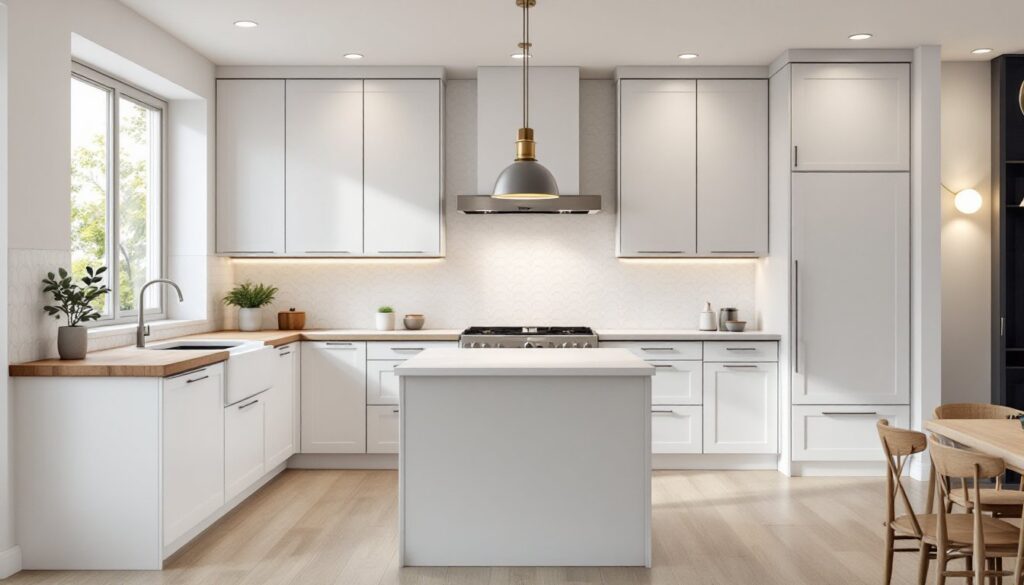
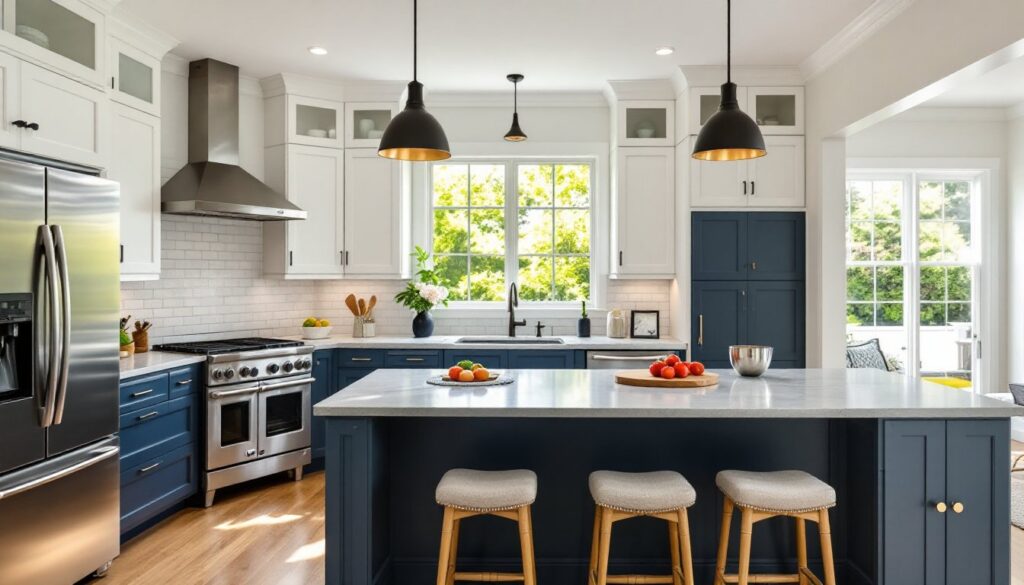
Island: Adds a freestanding cabinet/counter in the center of an L, U, or one-wall layout. Requires a minimum 10′ × 12′ footprint to maintain 42″ clearances on all sides. Islands typically house a sink, cooktop, or seating. They’re popular but demand careful planning, inadequate clearance makes them obstacles, not assets.
Peninsula: Similar to an island but attached to a wall or existing cabinetry. Functions as a room divider in open-plan homes. Easier to plumb and wire than an island (utilities run through the attached wall), and it works in slightly smaller spaces, 10′ × 10′ is feasible.
Pick a layout that matches the room’s proportions and how the kitchen will be used. A busy household with multiple cooks benefits from a U-shape or island: a single user in a compact condo might prefer a galley. Run the layout in software first, it’s easy to swap a U for an L digitally, much harder after cabinets arrive.
Common Mistakes to Avoid When Designing Your Kitchen Layout
Ignoring the work triangle. The sink, stove, and refrigerator form the work triangle, the path a cook travels most. The sum of the three sides should be 13’–26′, with no single leg shorter than 4′ or longer than 9′. Breaking this rule adds unnecessary steps and fatigue. Free software often highlights triangle distances: use that feedback.
Undersized aisles and clearances. The IRC (International Residential Code) recommends 42″ aisles in single-cook kitchens, 48″ for multi-cook layouts. Don’t squeeze to fit more cabinets, narrow aisles make the room feel cramped and block appliance doors. Dishwasher and oven doors need 20″–24″ of clearance to open fully without hitting an island or opposite cabinet.
Overlooking landing space. Every appliance needs adjacent counter space: 15″ on the latch side of a refrigerator, 12″–18″ beside a cooktop, 24″ on one side of a sink, 15″ on the other. Many design sourcebooks emphasize these guidelines because they prevent burns, spills, and clutter. If the layout doesn’t accommodate landing zones, adjust before ordering materials.
Forgetting about the door swing. A poorly placed door can block a dishwasher, slam into a cabinet, or bisect the work triangle. Measure door arcs in the design tool, most software lets you show door swings. If the existing door is a problem, consider a pocket door or reversing the swing (add $150–$300 for a carpenter to re-hang).
Neglecting ventilation and code requirements. Range hoods require ducting to the outside in many jurisdictions, and the duct run affects cabinet and soffit placement. Check local codes early, some areas mandate a 24″ clearance between a cooktop and a wood cabinet above, others allow 18″ with a hood. If the layout requires moving a gas line or adding a 240V circuit for an electric range, that’s permit territory and often requires a licensed pro.
Skipping material acclimation and lead times. Once the digital layout is finalized, real-world timelines kick in. Custom cabinets can take 8–12 weeks, countertops 3–6 weeks after template. If the design depends on a specific appliance size, order or reserve it early, supply chains in 2026 have improved, but specialty items (pro ranges, panel-ready dishwashers) still see delays.
Over-customizing without a fallback. Custom dimensions look great in software, but they limit future changes. A 27″ vanity cabinet or a 43″ island is harder to replace than a stock 30″ or 48″ unit. If budget or resale value is a concern, stick closer to modular sizes. Many small kitchen solutions use stock cabinets creatively rather than going full custom.
Conclusion
Free kitchen design tools put professional-grade layout planning in homeowners’ hands. With accurate measurements, a clear understanding of standard layouts, and attention to code and clearance rules, anyone can produce a workable kitchen plan without hiring help. Test multiple tools, iterate on the design, and don’t rush the planning phase, time spent in software saves money and headaches during construction.