
If you’ve ever wanted your home to anticipate your needs before you even ask, Control4 home automation delivers that reality. This professional-grade smart home platform isn’t just another collection of Wi-Fi gadgets, it’s a unified control system that ties lighting, climate, security, entertainment, and more into a single interface. Unlike consumer-focused platforms that rely on scattered apps and voice commands, Control4 systems are designed and installed by certified dealers who tailor the setup to your floor plan, lifestyle, and preferences. The investment is substantial, but for homeowners serious about whole-home integration and long-term reliability, it’s a framework built to last.
Key Takeaways
- Control4 home automation is a professional-grade smart home platform that unifies lighting, climate, security, audio/video, and more through a single interface, unlike DIY consumer systems that require multiple apps.
- Control4 systems are exclusively sold and installed by certified dealers who program custom automation scenes and integrate thousands of compatible third-party devices, ensuring reliable whole-home integration.
- Professional Control4 installations typically range from $5,000–$10,000 for starter systems to $50,000+ for luxury homes, with annual 4Sight subscription costs of $100–$150 for remote access and updates.
- Control4 excels for new construction and major renovations where pre-wiring is cost-effective, and prioritizes local control so core functions work even without internet connectivity.
- Control4 offers superior reliability and customization compared to DIY platforms like Alexa or SmartThings, but requires an ongoing relationship with a dealer and may feel restrictive to tech-savvy users who prefer building their own solutions.
What Is Control4 Home Automation?
Control4 is a professionally installed smart home ecosystem that centralizes control of lighting, climate, audio/video, security, and shade systems through a single software platform. Unlike off-the-shelf smart speakers or DIY hubs, Control4 hardware is sold and configured exclusively by authorized dealers who program the system to match your home’s architecture and your daily routines.
At its core, Control4 uses a dedicated controller, a physical box that acts as the brain of the system, running Control4 OS 3, the latest operating system iteration. This controller communicates with compatible devices over Zigbee, Wi-Fi, Z-Wave, IP, and hardwired connections, giving it broad compatibility with thousands of third-party products.
Control4 doesn’t manufacture every device it controls. Instead, it partners with brands like Lutron, Yale, Sonos, and Samsung to integrate their products seamlessly. The dealer configures automation scenes (called “when/then” programming) so that, for example, “Good Night” dims all lights, locks doors, arms the security system, and drops the thermostat to 68°F, all with one button press or voice command.
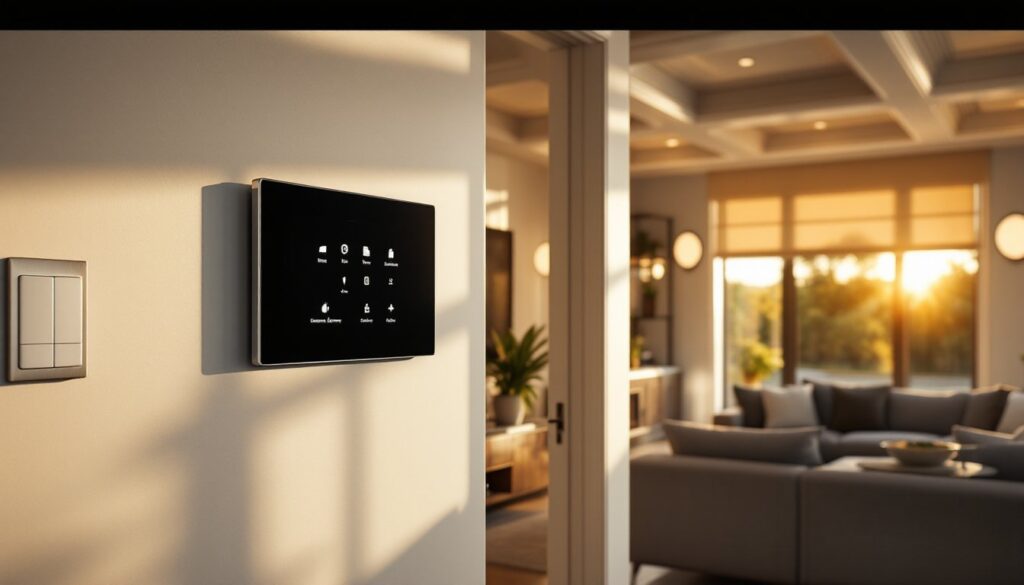
The interface is accessible via wall-mounted touchscreens, handheld remotes, mobile apps (iOS and Android), or voice assistants like Amazon Alexa and Google Assistant. This flexibility is why Control4 appeals to homeowners who want sophisticated automation without juggling a dozen separate apps.
Key Features and Capabilities of Control4 Systems
Control4’s strength lies in its unified control and deep customization. Here’s what sets it apart:
Whole-Home Audio and Video Distribution
Control4 excels at multi-room audio. A single system can route music or podcasts to every room, with independent volume and source control. It integrates with streaming services (Spotify, Pandora, Tidal) and legacy equipment like CD players or turntables. Video distribution works similarly, watch cable, Blu-ray, or streaming content in any room without needing a separate box in each location.
Lighting Control
Control4 pairs with Lutron Caséta, RadioRA, and its own line of dimmers and switches to create lighting scenes. “Movie Mode” might dim the family room, close the shades, and kill hallway lights automatically. Dealers program these scenes based on your preferences, and you can adjust them later through the app.
Climate and HVAC Integration
The system works with smart thermostats (Ecobee, Aprilaire, and Control4’s own models) to create temperature schedules tied to occupancy or time of day. For instance, the system can reduce heating when everyone leaves for work and restore comfort 30 minutes before the first person arrives home.
Security and Access Control
Control4 integrates with IP cameras, smart locks (Yale, Schlage), and alarm panels. You can view live camera feeds on any touchscreen or mobile device, unlock doors remotely, and receive alerts when motion is detected or a door is left open.
Automated Shades and Window Treatments
Motorized automated window treatments sync with sunrise/sunset times or room occupancy. They also tie into energy-saving routines, closing during peak summer heat to reduce cooling costs.
Voice and Remote Control
Control4’s integration with Alexa and Google Assistant means you can trigger scenes by voice. The proprietary Neeo remote offers tactile control with a sleek design, eliminating the need for multiple remotes cluttering the coffee table.
When/Then Programming
This feature lets dealers (or advanced users) build custom automations: “When the front door unlocks after sunset, turn on the entry lights and disarm the alarm.” These conditional rules are powerful but require dealer access to modify unless you’re comfortable with the programming interface.
How Control4 Compares to Other Smart Home Platforms
Control4 sits in a different category than consumer-grade platforms like Amazon Alexa, Google Home, Apple HomeKit, or Samsung SmartThings. Here’s how they stack up:
Control4 vs. DIY Platforms (Alexa, SmartThings)
DIY systems are cheaper and easier to start, plug in a hub, download an app, and pair devices. But they lack the reliability and integration depth of Control4. DIY platforms often require multiple apps, and device compatibility can be inconsistent. Control4’s dealer-installed setup costs more upfront but delivers a cohesive experience with professional support. Studies show that professionally installed systems experience fewer connectivity issues and offer more robust automation capabilities.
Control4 vs. Crestron and Savant
Crestron and Savant are Control4’s direct competitors in the professional-install space. Crestron is known for commercial-grade installations and ultra-customizable programming, but it’s pricier and often overkill for residential projects. Savant emphasizes sleek design and Apple ecosystem integration, with a premium price tag to match. Control4 strikes a balance: professional-grade reliability at a somewhat more accessible price point, with a dealer network that’s easier to find in mid-tier markets.
Cloud-Based vs. Local Control
Many cloud-based smart home platforms depend on internet connectivity to function. Control4 prioritizes local control, core functions like lighting, climate, and security work even if your internet goes down. Cloud features (remote access, voice assistants) are supplemental, not essential.
Scalability
Control4 shines in larger homes or phased installations. Start with lighting and climate in the main living areas, then add audio, security, or outdoor lighting later. The system scales without needing a hardware overhaul, unlike some DIY platforms that hit performance ceilings as device counts climb.
Control4 Installation: Professional vs. DIY Options
Control4 is not a DIY platform in the traditional sense. The hardware is only sold through authorized dealers, and the programming software (Composer Pro) is dealer-restricted. That said, there are degrees of involvement.
Full Professional Installation
This is the standard path. A certified Control4 dealer conducts a site survey, designs the system, installs controllers and devices, runs low-voltage wiring if needed, and programs the interface. The dealer configures scenes, integrates third-party devices, and trains you on using the system. Expect this process to take anywhere from a few days to several weeks, depending on home size and complexity.
Dealers handle low-voltage wiring (Cat6 Ethernet, speaker wire, Zigbee mesh networks) that ties devices together. This is critical for reliability, wireless-only systems can suffer from interference and range issues in larger homes.
Partial DIY (Dealer-Assisted)
Some dealers offer a hybrid approach: they sell and program the controller, but you handle device installation (mounting touchscreens, installing smart switches, running wire if you’re comfortable). This can shave 20-30% off labor costs, but you’ll need confidence with basic electrical work and network setup. Check local codes, replacing switches and running low-voltage wire is typically permitted for homeowners, but some jurisdictions require licensed electricians for certain tasks.
DIY with Composer HE (Homeowner Edition)
Control4 offers Composer HE, a limited version of the programming software that homeowners can use to tweak settings after initial dealer setup. You can adjust lighting scenes, add devices, and modify simple automations. But, advanced programming (custom drivers, complex when/then logic) still requires dealer access.
Important Limitations
You can’t buy a Control4 controller on Amazon and set it up yourself. The hardware is dealer-only, and without dealer programming, it’s an expensive paperweight. Factor this into your decision, Control4 is a long-term relationship with a dealer, not a one-time purchase.
Permitting and Inspection
Most Control4 installations don’t require building permits because they involve low-voltage wiring and device swaps. But, if your dealer is running new circuits or modifying electrical panels, a permit and inspection may be required per the National Electrical Code (NEC). Your dealer should handle this, but confirm upfront.
Cost Breakdown: What to Expect When Investing in Control4
Control4 is a premium investment. Costs vary widely based on home size, device count, and customization, but here’s a realistic breakdown:
Starter System (2-3 Rooms): $5,000–$10,000
This typically includes a controller ($1,500–$2,500), basic lighting control (6-10 switches/dimmers at $60-$150 each), a touchscreen or remote ($500-$1,200), and dealer programming/installation. This tier suits homeowners who want to test the platform before committing to whole-home coverage.
Mid-Range System (Whole-Home, 3-4 Zones): $15,000–$30,000
Adds multi-room audio (speakers, amplifiers, streaming integration), climate control (smart thermostats, zone dampers), motorized shades, and expanded lighting. Wiring labor increases if the home isn’t pre-wired. This is the sweet spot for most suburban homes.
High-End System (Luxury/Large Homes): $50,000–$100,000+
Includes distributed video, outdoor audio, pool/spa controls, advanced security cameras, intercom systems, and custom GUI design. Expect extensive wiring, high-end touchscreens in every room, and meticulous dealer programming.
Ongoing Costs
- 4Sight Subscription: $100-$150/year for remote access, software updates, and voice control integration. This is essential for using the mobile app outside your home network.
- Service Calls: Dealer visits for programming changes or troubleshooting typically run $100-$200/hour. Some dealers offer annual service packages.
- Device Upgrades: Third-party devices (smart locks, thermostats, speakers) will eventually need replacement. Control4’s controllers have long lifespans, many homeowners run the same controller for 8-10 years before upgrading.
Cost Factors to Consider
- Pre-wiring: New construction or major remodels are ideal times to install Control4. Running wire through finished walls adds $1,000-$3,000 in labor.
- Device Choice: Control4’s own switches and dimmers are reliable but pricier than third-party options. Lutron integration can offer savings.
- Dealer Reputation: Experienced dealers charge more but deliver cleaner installations and better long-term support. Independent testing has shown that systems installed by certified professionals have significantly fewer issues over time.
Pricing is region-dependent. Urban markets with higher labor costs will see 15-25% premiums compared to rural areas.
Is Control4 Right for Your Home?
Control4 excels in specific scenarios. Here’s who benefits most:
You’re Building or Renovating
New construction and gut remodels are the perfect time to install Control4. Walls are open, so running Cat6 cable, speaker wire, and control wiring is straightforward and affordable. Pre-wiring costs are a fraction of retrofit labor.
You Want Whole-Home Integration
If your goal is seamless control of lighting, climate, audio, video, and security from one interface, Control4 delivers. DIY platforms struggle with this level of unification, especially across brands.
You Value Reliability and Support
Control4’s dealer network means you have a professional relationship for troubleshooting and updates. This matters more in complex installations where DIY troubleshooting would be overwhelming. Reviews consistently highlight Control4’s superior reliability compared to consumer-grade systems.
You’re Not Tech-Savvy (But Have the Budget)
Control4 is ideal for homeowners who want the benefits of smart home technology without the DIY learning curve. The dealer handles setup, programming, and training.
When to Skip Control4
- Budget Under $5,000: Consumer platforms like SmartThings or smart device network solutions offer better value for small budgets.
- DIY Enthusiasts Who Tinker: If you enjoy tweaking settings and adding devices yourself, Control4’s dealer-locked ecosystem will feel restrictive.
- Renters or Frequent Movers: Control4 systems are installed infrastructure. They don’t move with you, and landlords rarely appreciate tenants modifying wiring.
Alternatives to Consider
If Control4 feels like overkill, explore Lutron Caséta (excellent lighting control with app and voice integration) or home automation templates for pre-configured smart home setups that mimic Control4’s scene-based control at lower cost. For lighting alone, a quality Wi-Fi light switch system can deliver solid automation without the full Control4 investment.
Conclusion
Control4 home automation systems represent a significant step up from consumer-grade smart home platforms, offering professional integration, long-term reliability, and dealer support that DIY ecosystems can’t match. The upfront cost and dealer dependency won’t suit everyone, but for homeowners investing in new construction, major renovations, or comprehensive whole-home control, it’s a platform built to grow with your needs and last for years.